
Yes. CleanPro is review-first — you confirm what gets deleted. On iOS, deletions go to "Recently Deleted" first, so you can restore within 30 days.
Find and delete duplicate photos
If your camera roll is full of repeated screenshots, shared images, or saved copies, duplicates can quietly eat storage. CleanPro finds exact duplicates, groups them, and helps you keep the best — then delete the rest safely.
On-device scan
No uploads
Review first
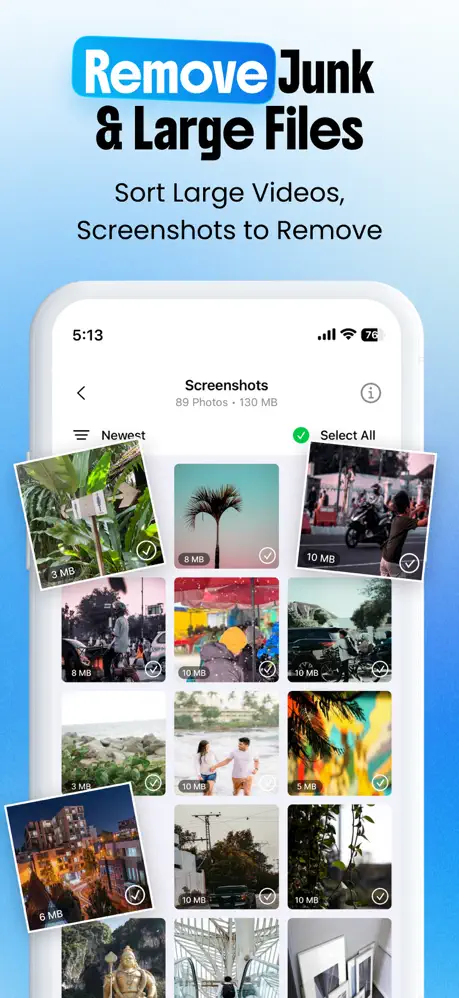
Exact duplicate detection
Find identical copies across your entire photo library automatically.
Smart grouping
Review duplicates in visual groups with thumbnails and file sizes.
Sort by size
Prioritize the biggest files first for maximum storage savings.
Safe deletion
Items go to Recently Deleted first — restore anytime within 30 days.
How it works
Three steps to a cleaner photo library.
Scan for duplicates
CleanPro analyzes your photo library on-device. No uploads, no waiting for cloud processing.
Review and select
Browse duplicate groups with thumbnails. Keep the best photo, mark others for deletion.
Delete safely
Confirm your selection. iOS moves items to Recently Deleted so you can restore if needed.
Tip: Sort by largest first to free up the most space quickly. You can also use Smart Clean to scan duplicates alongside similar photos, screenshots, and videos in one flow.
Continue cleaning with these tools.
Ready to clean duplicates?
Keep the best photos. Delete repeats safely. Free up space in minutes.
Prefer a step-by-step guide? Read Delete duplicate photos on iPhone.
Duplicate photos FAQ
Quick answers for common questions.
No. CleanPro analyzes your photo library entirely on-device. We don't upload your photos to our servers. See our Privacy Policy.
Yes. Sort by largest first to prioritize the biggest space savings. You can also sort by date to find older duplicates.
Duplicates are identical copies. Similar photos are visually close but not identical — like burst shots or retakes. CleanPro has separate tools for both: Similar Photos catches the near-duplicates.